Creatly — Family Time Mod Menu & Build Editor
A downloadable mod
Creatly
A polished in-game menu and a full build editor for Family Time Ep.3 (build b108, Windows DX12 / DX11). Press ` (backquote, Ё on a Russian keyboard) to open it.
Features
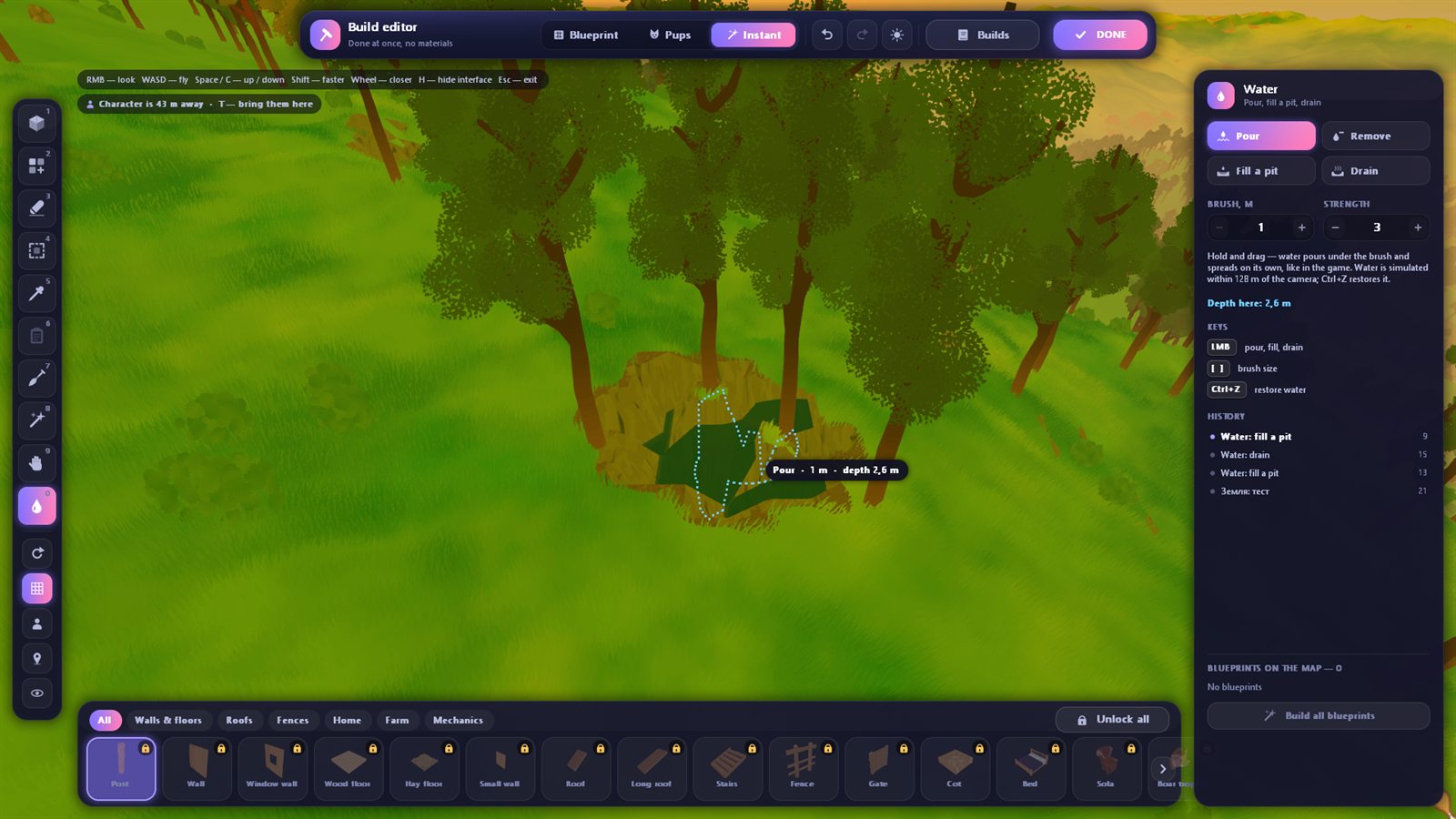
Build editor — a free camera over the whole map (the world streams in around it, like in Minecraft) and every block of the game with its icon:
- Place, Fill (rows and floors in one drag, up to 20,000 blocks at once), Erase, Select (copy, cut, delete, save to your library), Pick, Paste
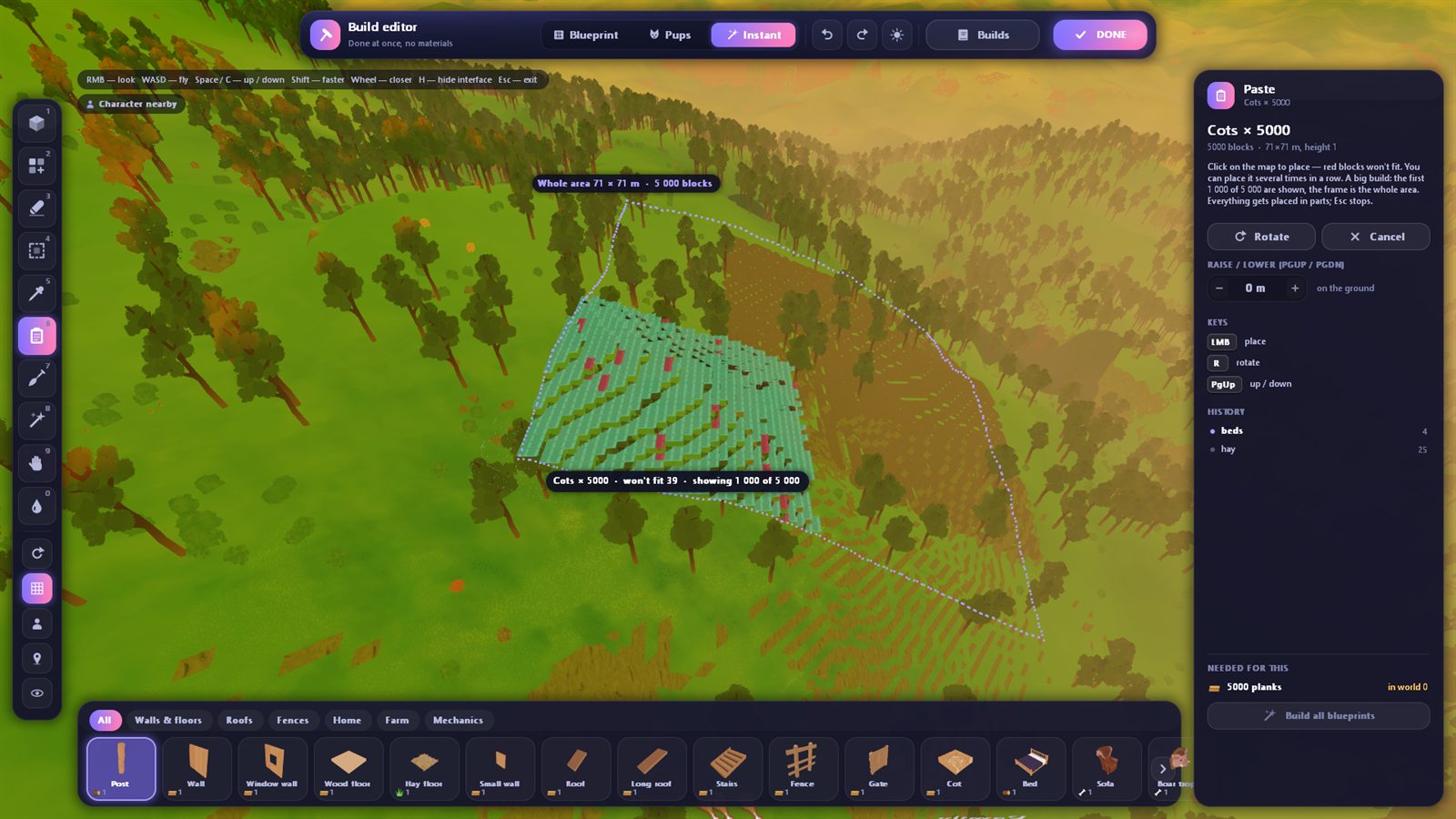
- Templates: a pack bedroom (even for 16,000 cots), a pen with a gate, a platform
- Terrain brush: dig, raise, flatten, smooth — the ground fits snugly under your buildings
- Water: pour, remove, fill a pit right to the brim, drain a whole pond in one click
- Blueprint / Pups / Instant build modes, Ctrl+Z / Ctrl+Y for everything, huge builds placed in parts with a progress bar
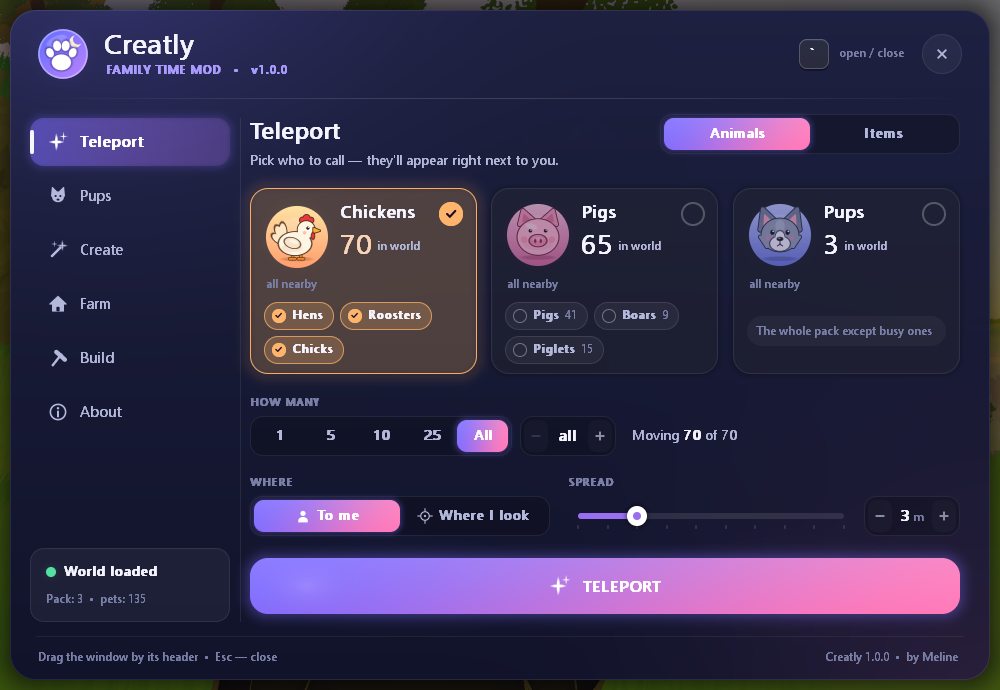
Teleport — chickens, pigs, pups or any items, even the ones the game has unloaded far away.
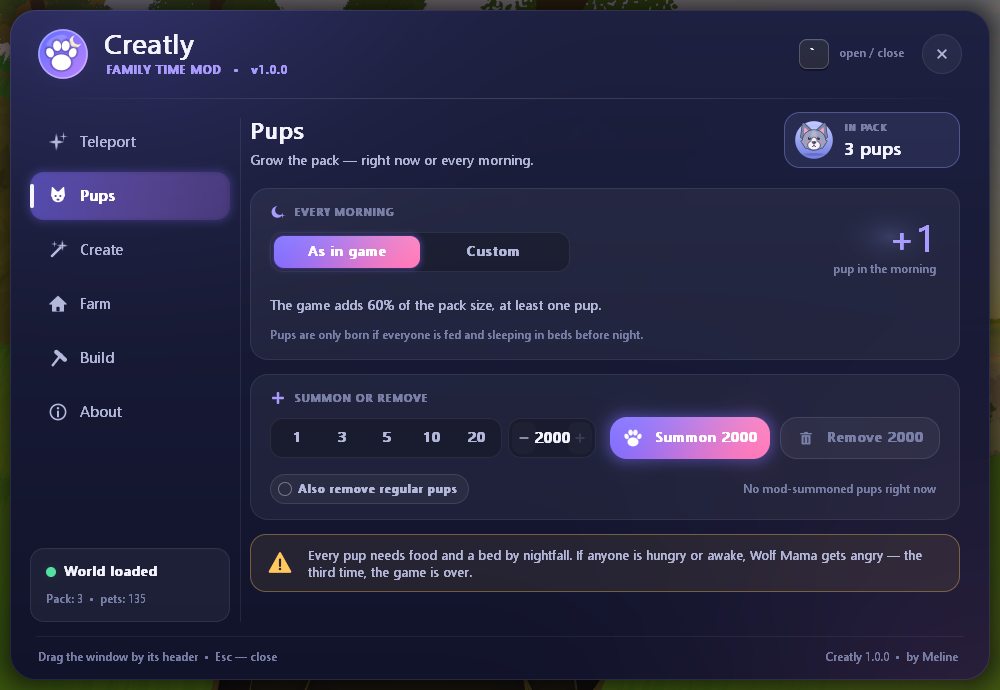
Pups — your own morning growth, summon up to 2,000 at once, remove them; the pack is capped at 16,000 so the game never breaks.
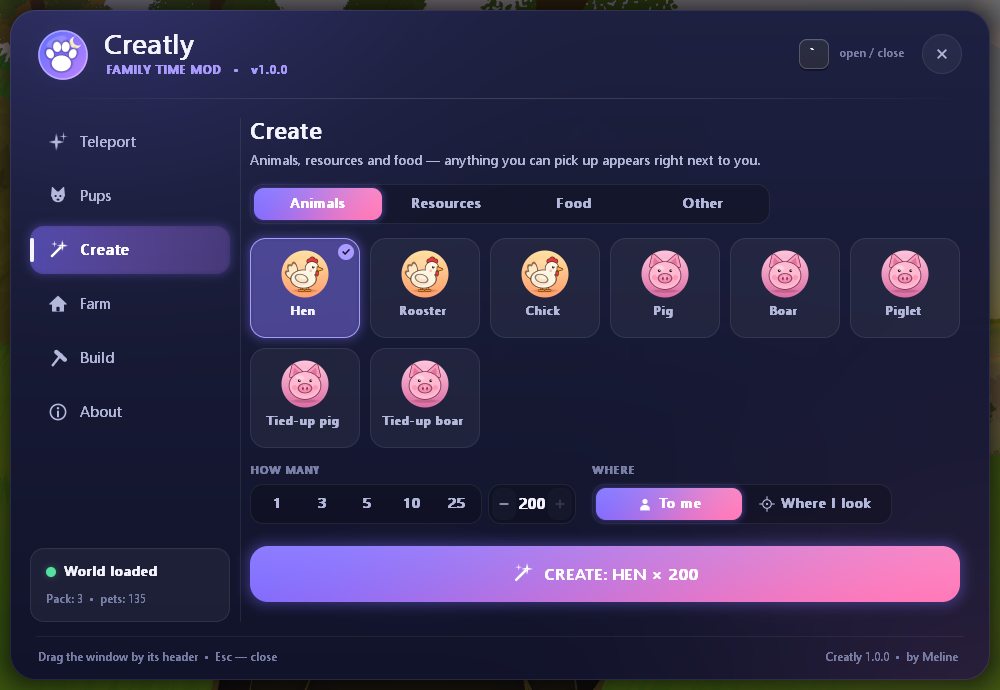
Create — animals, resources, food and items with the game’s own icons, up to 200 at once.
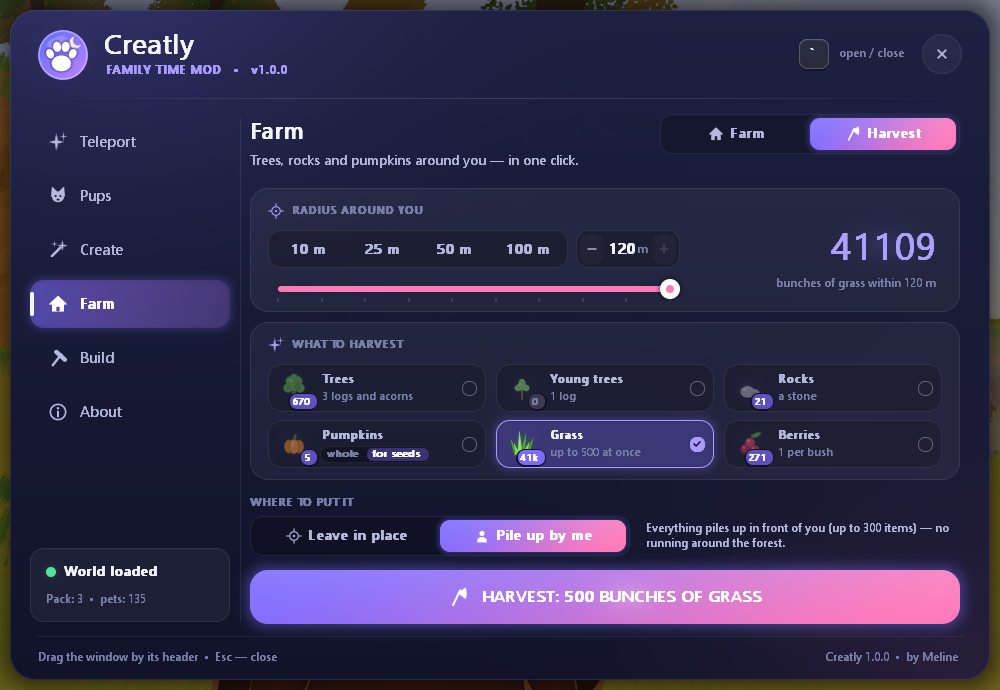
Farm & harvest — build every blueprint at once, feed pups and animals (also automatically), calm Wolf Mama, weather, time of day, freeze time. Trees, rocks, pumpkins, grass and berries within 120 m in one click.
English and Russian — switch any time in the About tab.
Installation
- Unpack the archive into the game folder, next to
FamilyTime.exe(or anywhere — the installer will ask where the game is). - Run Установить (Install).bat.
- Start the game and press `.
To remove the mod, run Удалить (Uninstall).bat — your saves and build library stay. It’s a good idea to back up FamilyTime_Data\Sessions before the first run.
Updates and safety
Creatly checks for new versions 20 seconds after the game starts and then every 6 hours, and installs them; the new version kicks in after a restart. Every release is signed with the author’s key (RSA-3072) and the file is verified before installing. HTTPS only, nothing about you is sent. You can turn auto-updates off in the About tab and update with a button.
The installer is a .bat file that runs a PowerShell script: it copies Creatly.dll into the game and registers it in two game files, keeping the originals as *.orig. Some antiviruses may complain about that — the script is plain text inside the archive.
Links
- Mod page and changelog: mods.hackerstone.xyz/creatly
- Website: hackerstone.xyz
- Telegram: t.me/hackerstonecorp
- Discord: discord.gg/XRG3HwNBy3
Made by Meline. Family Time belongs to its developers; Creatly is an unofficial fan mod.
На русском
Creatly — красивое меню и полноценный редактор построек для Family Time Ep.3 (сборка b108, DX12 и DX11). Открывается клавишей Ё.
- Редактор построек: свободная камера над всей картой, все блоки игры, заливка рядами и этажами до 20 000 блоков, выделение, копирование, своя библиотека и шаблоны (спальня для стаи, загон, площадка).
- Земля и вода: копать, насыпать, ровнять и сглаживать кистью (под постройками земля подгоняется вплотную), налить и убрать воду, залить яму до краёв, осушить пруд.
- Телепорт животных и вещей, волчата (своё пополнение, призыв до 2000, удаление), создание предметов до 200 за раз.
- Хозяйство и добыча: постройка всех чертежей, кормёжка, погода, время суток; деревья, камни, тыквы, трава и ягоды в радиусе 120 м в один клик.
- Обновления приходят сами, каждая версия подписана автором; выключаются во вкладке «О моде».
Установка: распакуйте архив в папку игры, запустите «Установить (Install).bat» и нажмите в игре Ё. Удаление — «Удалить (Uninstall).bat», сохранения и постройки останутся.
Автор — Meline · Сайт · Telegram · Discord · Страница мода
Download
Install instructions
- Unpack the archive into the game folder, next to FamilyTime.exe (or anywhere — the installer will ask where the game is).
- Run Установить (Install).bat.
- Start the game and press ` (Ё on a Russian keyboard).
To remove the mod, run Удалить (Uninstall).bat — saves and your build library stay. Requires Family Time Ep.3 build b108 on Windows; nothing else to install.
- Распакуйте архив в папку игры, рядом с FamilyTime.exe (или куда угодно — установщик спросит, где игра).
- Запустите Установить (Install).bat.
- Запустите игру и нажмите Ё.
Удаление — Удалить (Uninstall).bat, сохранения и постройки останутся.
Development log
- Creatly 1.0.2 — ready for Family Time b10814 days ago
Leave a comment
Log in with itch.io to leave a comment.